Phantom Blade Zero Map
16 places. Free to use, with no sign-up.Scope & details
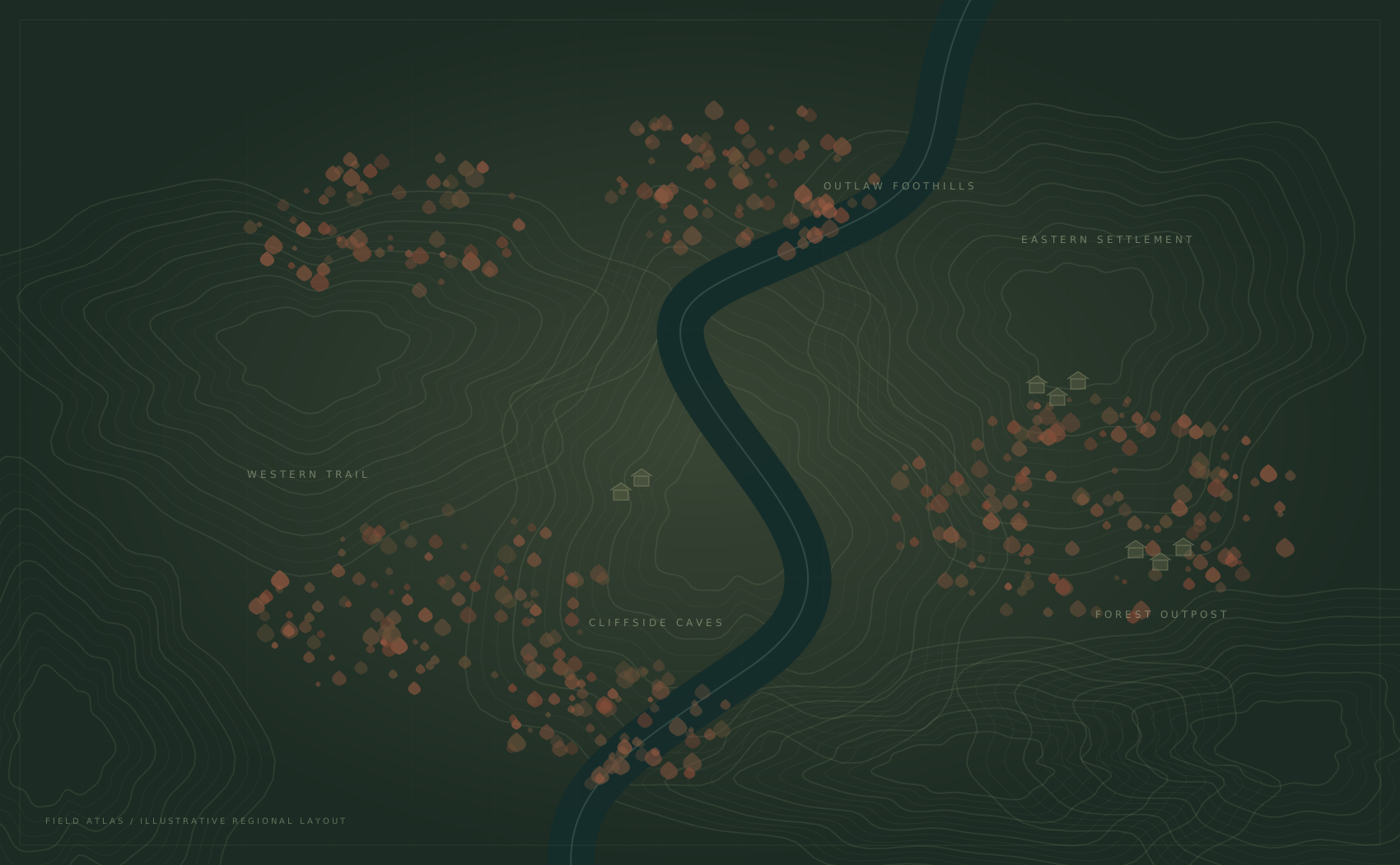
This free Phantom Blade Zero map organizes 16 Crimson Forest locations in one searchable preview. Filter discoveries, check guide references and save a local checklist without signing up. The landscape is a schematic; use the linked sources for directions, as marker positions have not been verified in-game.
Unfolding your field atlas…
Find your next landmark
Filter the forest by what you need. Keep the rest out of the way.
A record of your own journey
Mark discoveries as you go. Your checklist stays on this browser.
Know what you’re looking at
Sources on every location. Clear limits on what this preview covers.
Before you enter the forest.
Get to know the Crimson Forest preview: what the markers mean, which sources to check, and how to keep a record of your discoveries.
1 region · 16 reference locations · Your own checklist
Open the Crimson Forest guideKeep the discovery.
Lose the backtracking.
This Phantom Blade Zero map brings a small set of Crimson Forest references into one quiet workspace. Search a name, open a location, and keep a personal record of what you have found. You decide how much of the forest to reveal.
The first release is a regional preview. The landscape is an original schematic and its marker positions are illustrative. We link every location note to a published guide, so you can check directions before relying on them.
Read the Crimson Forest field notesUpdated November 2, 2026 · PBZ Field Atlas
16 guide-referenced locations · 1 region · No sign-up
Is this Phantom Blade Zero map free?
Yes. Explore 16 free locations for $0, with no account, subscription or paid marker limit. Every location included in this preview can be viewed. Story-sensitive locations are hidden by default, but you can reveal them using the Story locations switch.
Is this the complete, exact in-game map?
No. This release covers a selection of 16 guide-referenced locations in Crimson Forest. The artwork and marker positions form an original schematic, not surveyed game coordinates. Use the linked source guides for directions. The preview does not claim full region or game completion.
Does the Phantom Blade Zero map require sign-up?
No sign-up is needed. Found markers are saved in local storage on this browser. They are not uploaded to an account or synchronized between devices. Clearing site data, switching browsers or leaving a private browsing session can remove that local copy.
Can I back up my Phantom Blade Zero map checklist?
Yes. Choose Export in Your discoveries to download a JSON backup. On another browser, choose Import and select that file. A valid backup is merged with your existing checklist, so importing does not remove markers you already found. Exports contain JSON checklist data, not PNG map images; watermark settings do not apply.
How do I hide Phantom Blade Zero map spoilers?
Leave Story locations off in Map filters. Quest rewards and story encounters marked as sensitive are excluded from the map and location list. Turning the switch on reveals them. A shared link to a hidden location asks you to reveal story locations before showing its details.
Does the Phantom Blade Zero map work on mobile?
Yes. Open Filters to search and change categories, use the plus and minus controls to zoom, and drag the map to explore. Selecting a marker opens a bottom detail panel. Close the panel to return to the same map view.
Why does my discovery count differ from the game?
The count tracks only the locations in this preview. It is your personal checklist, not an imported game save or the game’s map completion percentage. Hidden story locations still belong to the checklist total. No connection to Steam, PlayStation or your game files is made.
What are the Phantom Blade Zero map sources?
Each point links to its source guide. Names and short notes were checked against published guides, but we have not tested these locations in-game. The Sources page explains the coverage, schematic layout and verification limits. Do not treat an illustrative marker as an exact navigation coordinate.
Using the Phantom Blade Zero map
Choose your Phantom Blade Zero map filters
Begin with Map filters. Each category can be switched on or off independently, allowing you to focus on bells, Memory Flowers, weapons, treasures, key items or Tales. The number beside a category reflects the entries available under your current story setting. It does not represent an official total for the region.
Use the search field when you already know a name. Search also matches the area label and category, making it useful when you have only a rough idea of what to look for. If the map is empty, reset the filters or check whether the location is story-sensitive. Searching does not automatically reveal hidden story entries.
Switch to Locations to browse an accessible list of the same visible points. Selecting an entry focuses the schematic and opens its details. You can use the list instead of aiming at a small map marker, particularly on a phone or when navigating with a keyboard. The plus, minus and fit-region controls offer another way to adjust the view.
Check the note before making a detour
A location card separates the item or landmark from its access requirement. Read both before moving away from your current objective. A key requirement can explain why a guide-referenced place is not accessible yet. Open the source guide when you need full directions or additional context; this preview deliberately keeps its notes short.
The card also identifies the verification limit. Guide-referenced means that a published source supports the entry. It does not mean that our team has independently visited the location or measured its coordinates. The original map artwork is useful for organizing this preview, but it must not be used to estimate travel distance, elevation or a safe path between markers.
After you find a location, choose Mark as found. Its marker changes appearance and your discovery count updates. You can undo the mark from the same card. Use Not found yet to narrow the workspace to remaining entries, or Already found to review the checklist you have built.
Keep progress under your control
The Phantom Blade Zero map stores only your found-location identifiers and the backup format information in browser local storage. There is no registration form, game account connection or cloud save service. Another browser starts with its own checklist, even on the same computer. Private browsing and browser storage restrictions may make progress temporary.
Export downloads a small JSON file containing your checklist. Import validates that the file belongs to this region and format, then merges its found markers with your current records. It will not silently accept unrelated JSON or unknown location identifiers. Keep a backup before clearing site data or moving to a new device.
Reset opens a confirmation dialog before clearing the checklist. It affects this browser’s copy, not a backup you already downloaded. If storage is unavailable, the interface tells you to export before leaving. Read the privacy policy for how the current preview handles local data and contact drafts.
Understand what this release covers
This release has one region and sixteen reference entries. That deliberately small scope lets us validate the map interaction, source presentation, spoiler handling and checklist before extending the atlas. Finding every included point completes this checklist only. It is not a claim of one hundred percent completion in the game.
The Sources page lists the guides used and explains how the data is maintained. The Crimson Forest regional page provides a focused entry point. Our help page covers common recovery and sharing questions, and free access explains the current feature limits.
We publish changes when the underlying entries or features change. A new date is not a substitute for new evidence. Corrections should identify the affected location and describe the difference you observed. Use the contact page to prepare a correction report, and include enough context for someone else to check it.
Browse the 16 reference locations Includes story spoilers
This reference index is available without loading the interactive map. These are guide-referenced entries, not an exhaustive collectible list. Layout positions remain illustrative.
| Location | Area | Reference |
|---|---|---|
| Crimson ForestEnter Crimson Forest. | Forest threshold | Map reference ↗ |
| Memory Flower · Forest thresholdReach the first bell. | Forest threshold | Map reference ↗ |
| Abandoned Main RoadExplore the main trail. | Western trail | Map reference ↗ |
| Pangzhen Bridge OverlookContinue along the main path. | Western trail | Map reference ↗ |
| The Fanatic’s Broken BladeDefeat the Sword Fanatic. | Bridge approach | Map reference ↗ |
| Trail of CagesProgress beyond the bridge encounter. | Cliffside caves | Map reference ↗ |
| Free Quick Hand ZhangReach the hanging cage. | Cliffside caves | Map reference ↗ |
| Outlaw TrapReach the bandit camp overlook. | Outlaw foothills | Map reference ↗ |
| Crimson Forest Tunnel CrankExplore around Outlaw Trap. | Outlaw foothills | Map reference ↗ |
| Sect Leader’s Snuff BottleCrimson Forest Tunnel Crank. | Underground passage | Map reference ↗ |
| Outlaw WarbladeDefeat Jing Ye, the Outlaw. | Outlaw foothills | Map reference ↗ |
| Thieves’ CampProgress beyond Jing Ye. | Eastern settlement | Map reference ↗ |
| Quick Hand’s RequestFree Quick Hand Zhang first. | Eastern settlement | Map reference ↗ |
| Bloodstained SealExplore the cliffside passage. | Forest outpost | Map reference ↗ |
| Forest Outpost Courtyard KeyReach the forest outpost. | Forest outpost | Map reference ↗ |
| Memory Flower · Cliffside caveExplore the cliffside cave. | Cliffside caves | Map reference ↗ |